Palm IIIc resurrection
The Palm IIIc
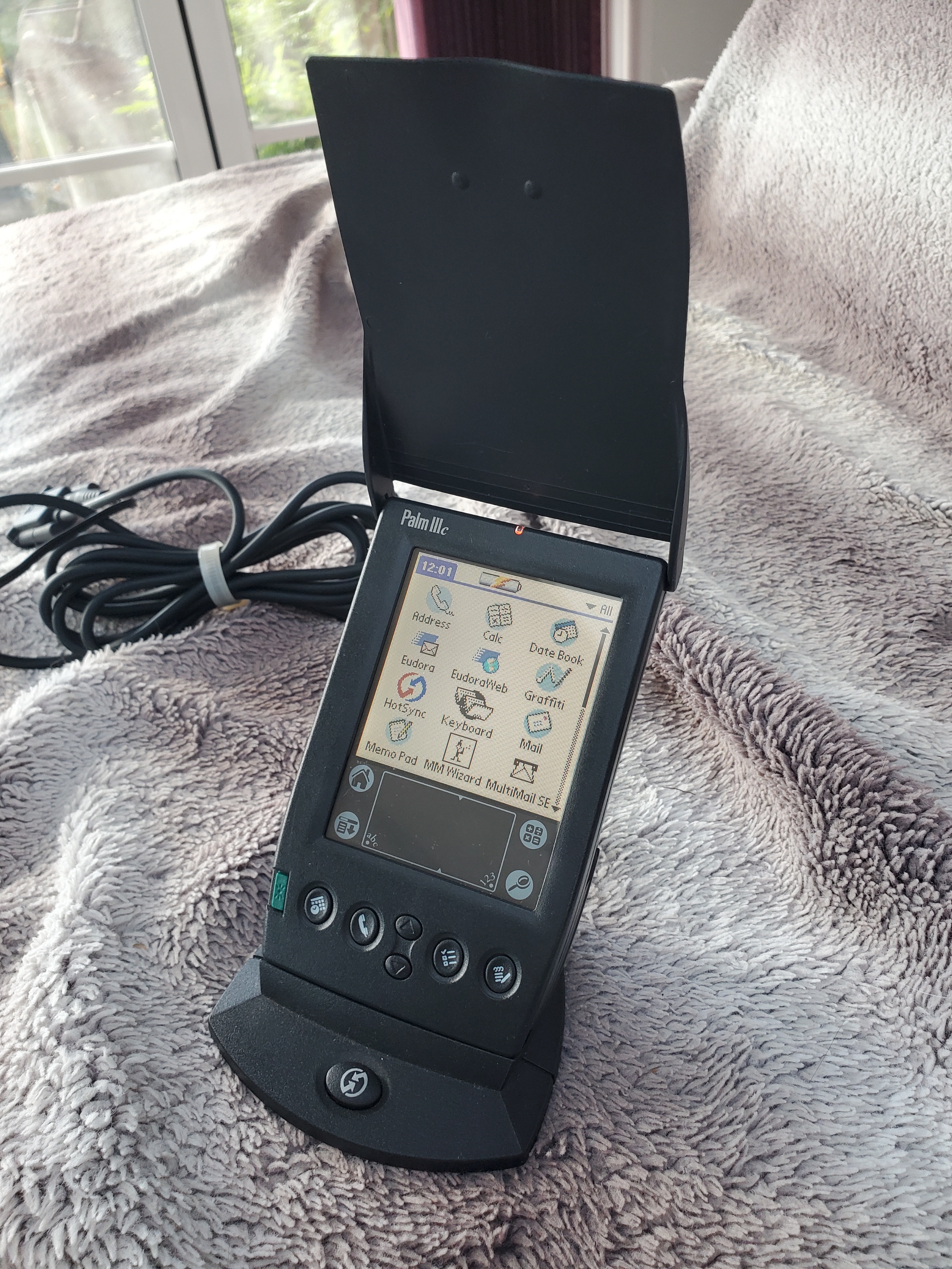
After rejuvenating a Psion 5mx… I dug an old Palm IIIc out of my garage and decided to get it up and running. Once I managed to find a suitable power supply for the cradle the Palm appeared dead, and wouldn’t charge so I removed the battery and directly charged the cells with a conditioning cycle, reassembling it appears to hold charge and recharge although the pack does show some signs of minor “pillowing” so I expect I’ll need to find a replacement at some point, or if this one doesn’t hold charge, but at the moment it does seem to be holding up well.
I found the jpilot software to get it syncing on Linux (some notes further down), but I wondered if I could use the serial interface to do something interesting. I’d been planning on building a serial ESP32 interface for the Psion, but I had a soft spot for the Palm, and the bright colour screen is much more fun, so decided to have a go and coming up with some networking support.
Connections
I had a few old Palm III cradles (I owned a series of PalmIII’s before getting a PalmIIIc) so decided to sacrifice one of them to build a cable/interface.
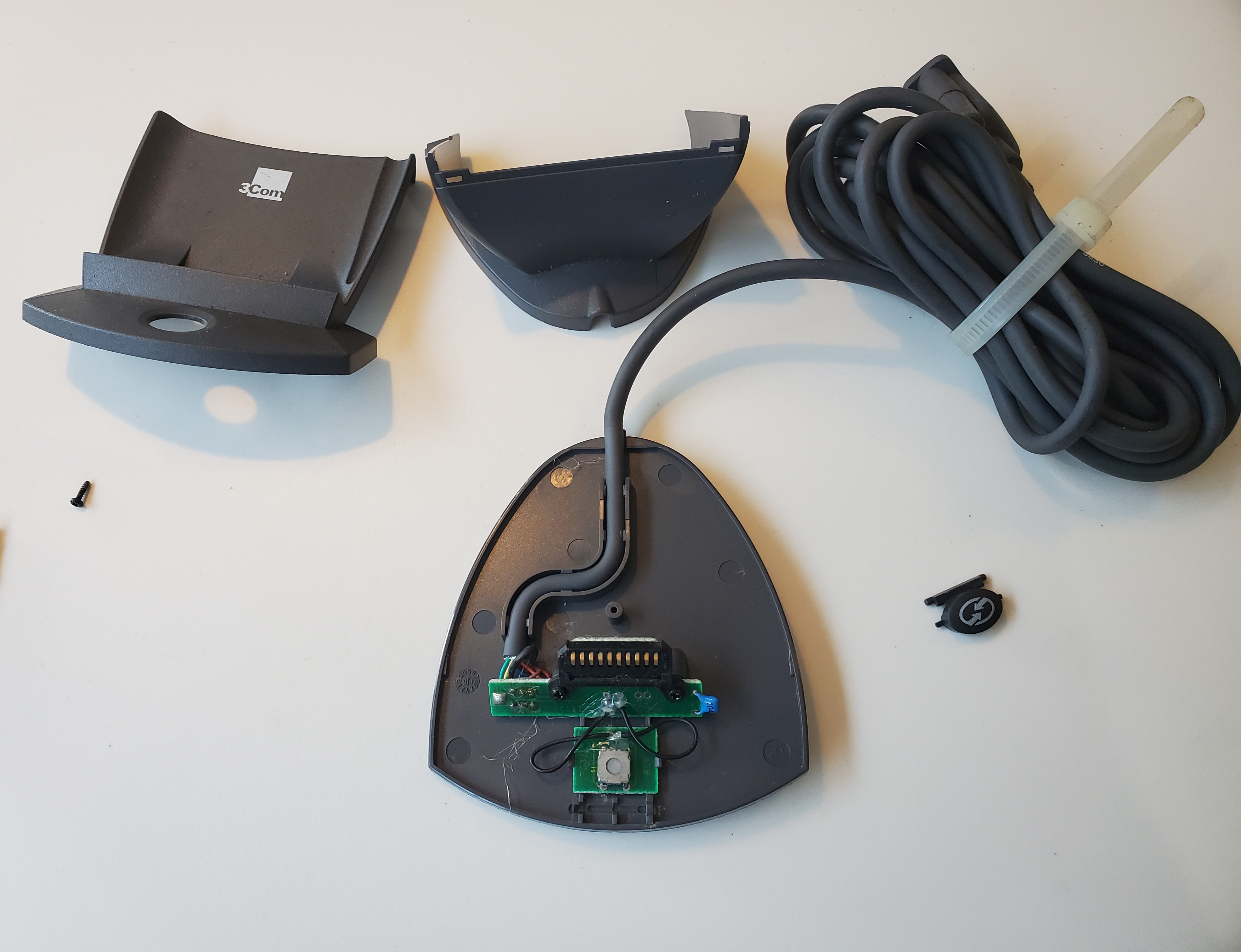
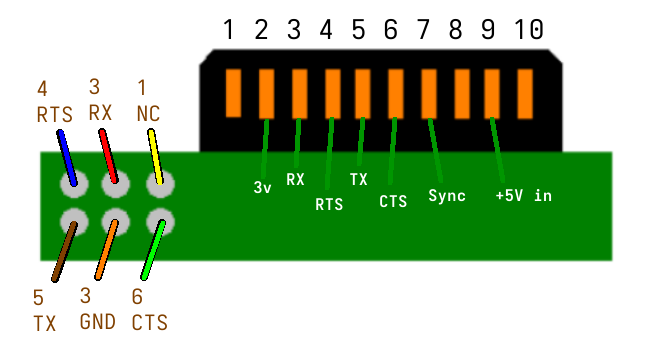
The pinout of the 10 pin Palm connector to the cradle PCB board is:
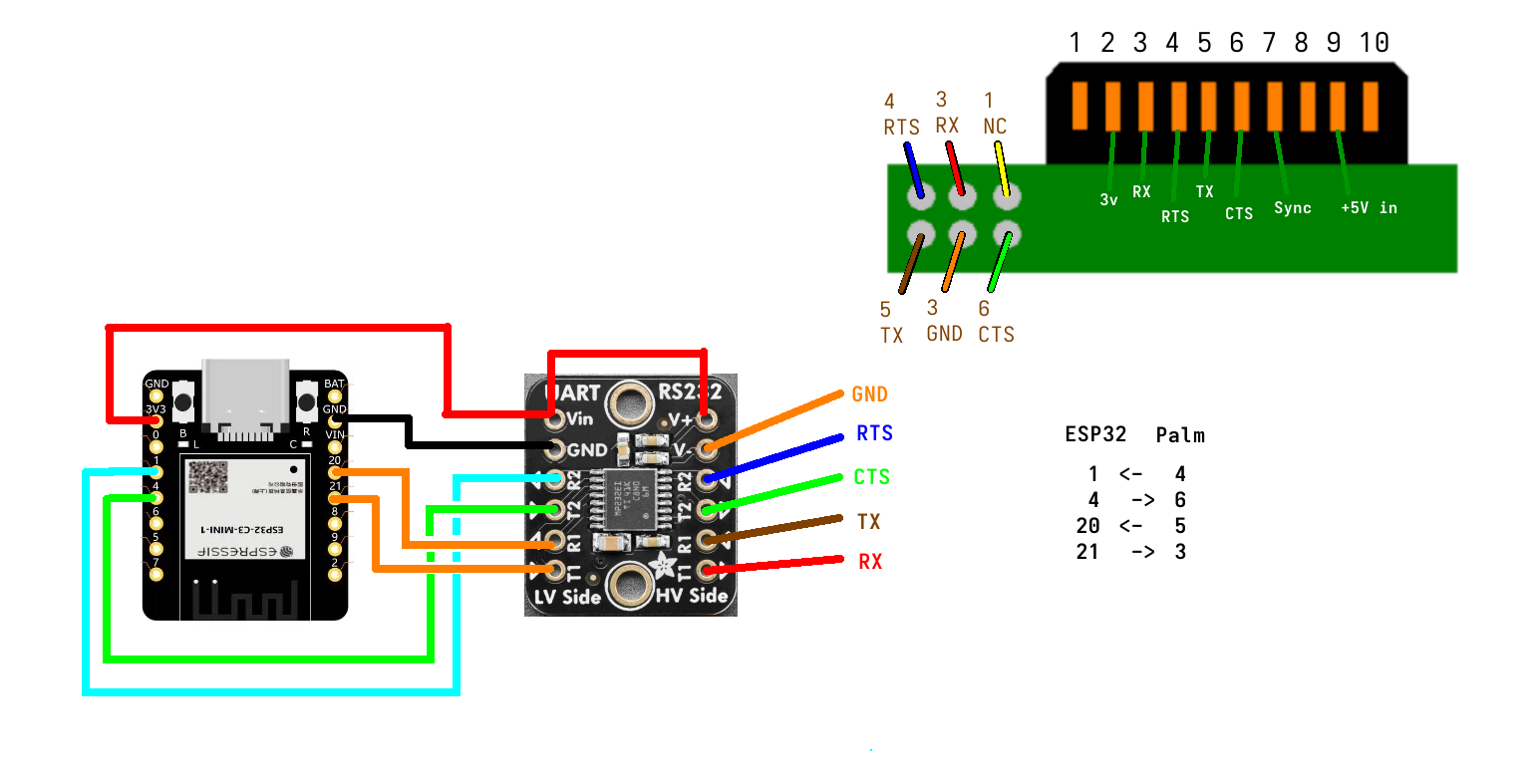
I already had a couple of (cheap) MAX232 breakout boards I’d had for a while so started building an ESP8266 interface….. several days of frustrated hacking later I concluded that the cheap breakout boards I’d got off ebay were cheap for a reason, they didn’t work, so I ordered some new ones, most cheap boards only do a single TX/RX pair, but I went for one with dual inputs so I would also have CTS/RTS available.This brought on the next frustration, the ESP8266 module I had was limited in that the serial pins are shared with the USB interface, so you can’t have a diagnostic output at the same time as a TTY serial interface. If you switch to serial2 you lose the RTS/CTS pins.
OK time to switch over to an ESP32 board, I used a DFRobot ESP32-C3 Beetle module (just happened to be what I had spare in my bits box).
Finally after getting RTS/CTS wrong a few times and at one point missing a power supply to the 232 side of the MAX232 board, I had a serial tester working nicely. So could start building up an ESP32 bridge.
To wire everything up, I cut the palm cradle cable and wired in into the MAX232, and the MAX232 to the ESP as follows: (these were the wire colours in my Palm cable, YMMV)
I could have left the cable long and built the interface into a box on the cable, but I liked the idea of fitting it all inside the cradle.The Beetle board includes onboard charging so I also connect in a LiPo battery, although I really need to include a power switch… I probably need to think about adding some more buttons and switches into the cradle to give more input options.I intend to add a connection from the Palm 5v line on pin 9 to the USB power so the cradle can charge when connected also.I also really need to mount it properly, at the moment I’ve just squeezed everything into the cradle and clipped it together!
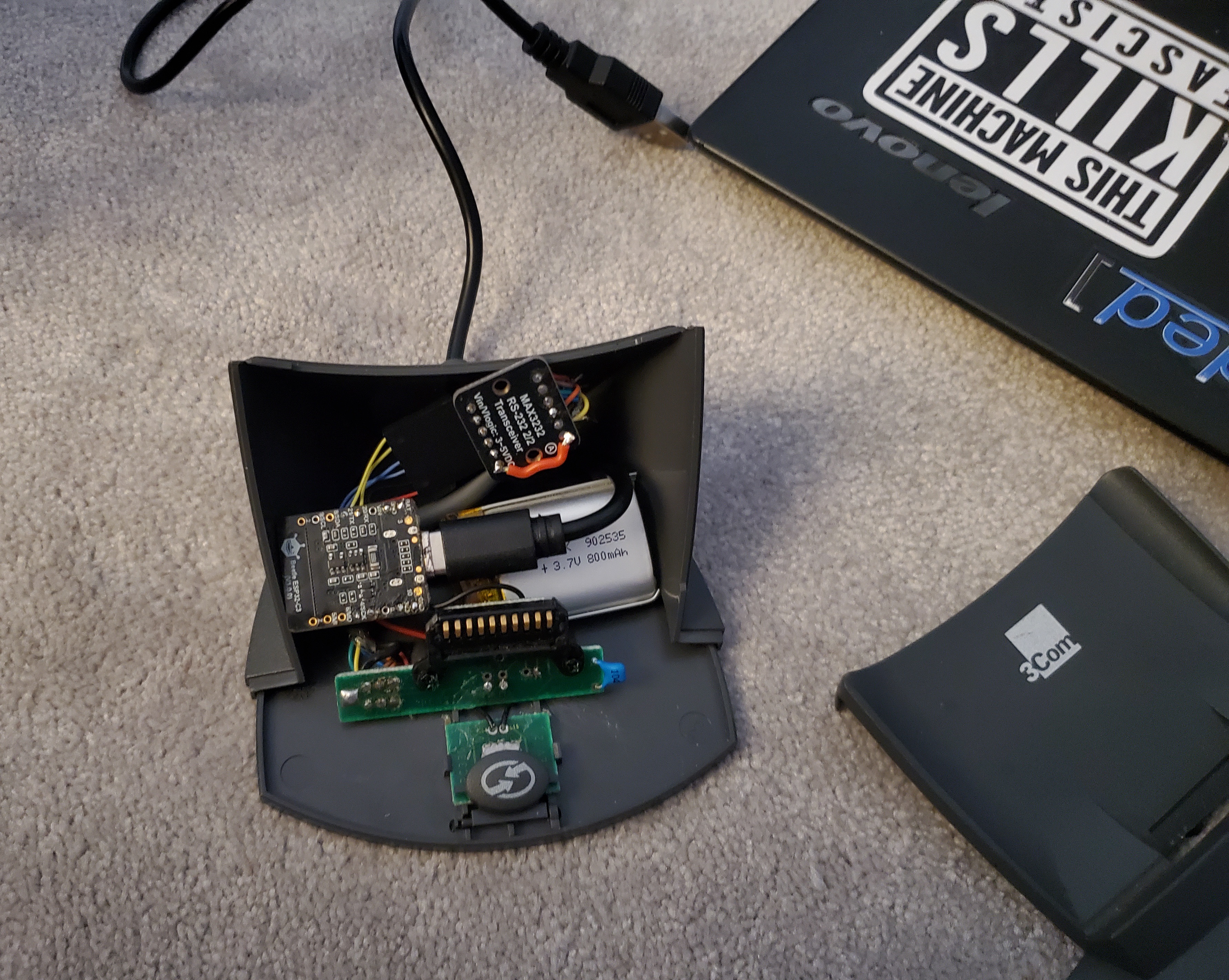
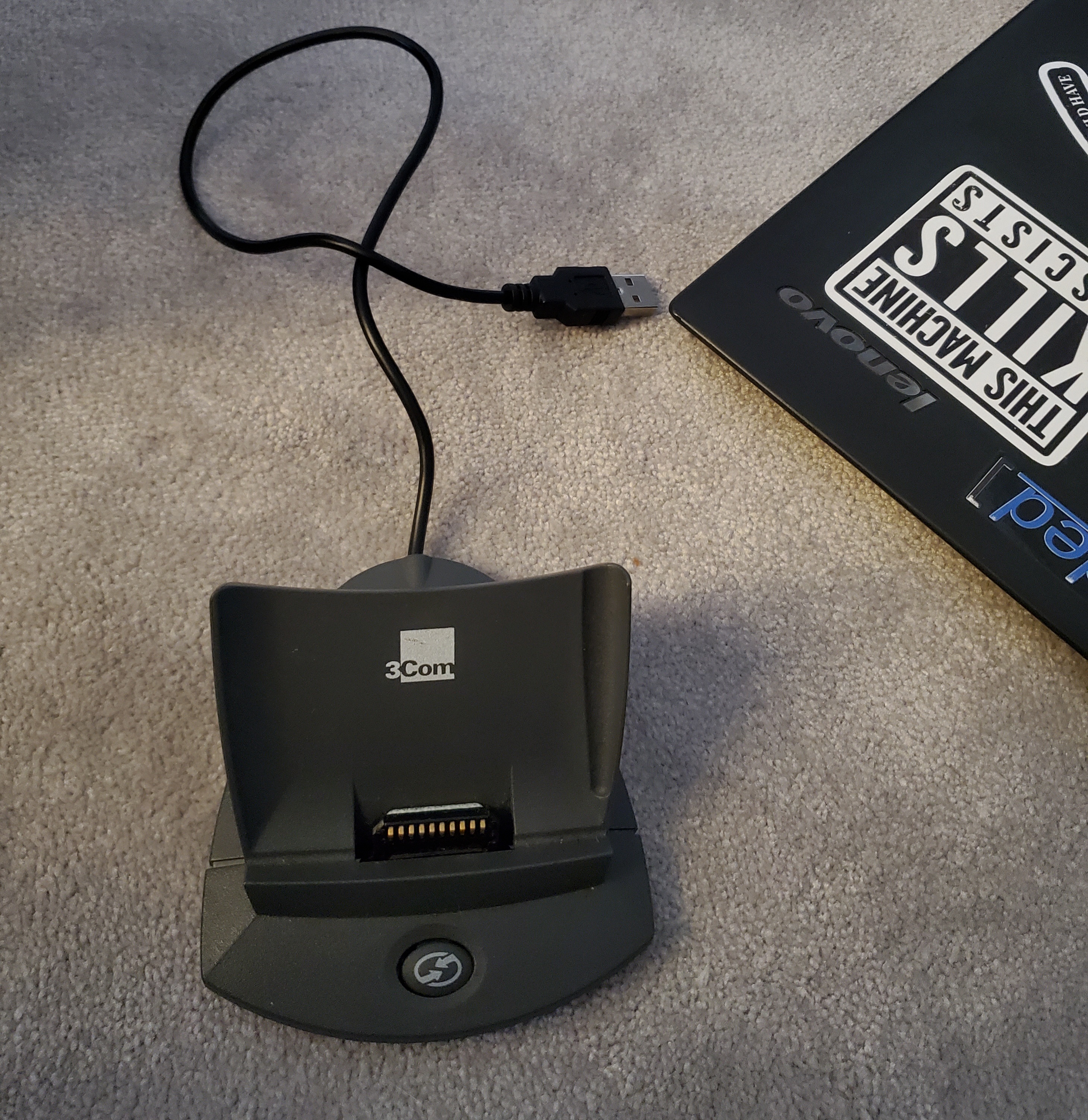
The ESP runs a PPP server for the Palm to connect to for a “dial-up” internet link. Since the Palm is “old school” encrypted connections are a bit of a stretch so… I’ll setup “plain” IMAP, POP3 & SMTP port listeners on the ESP, that way the connection from the Palm will go to the PPP layer, that will forward to the networking connecting to the local e.g. IMAP port and the ESP32 will bridge to an IMAPS port.
This way the Palm will think it’s just talking old fashioned non-TLS ports, but the ESP will be connecting to current secure sockets.
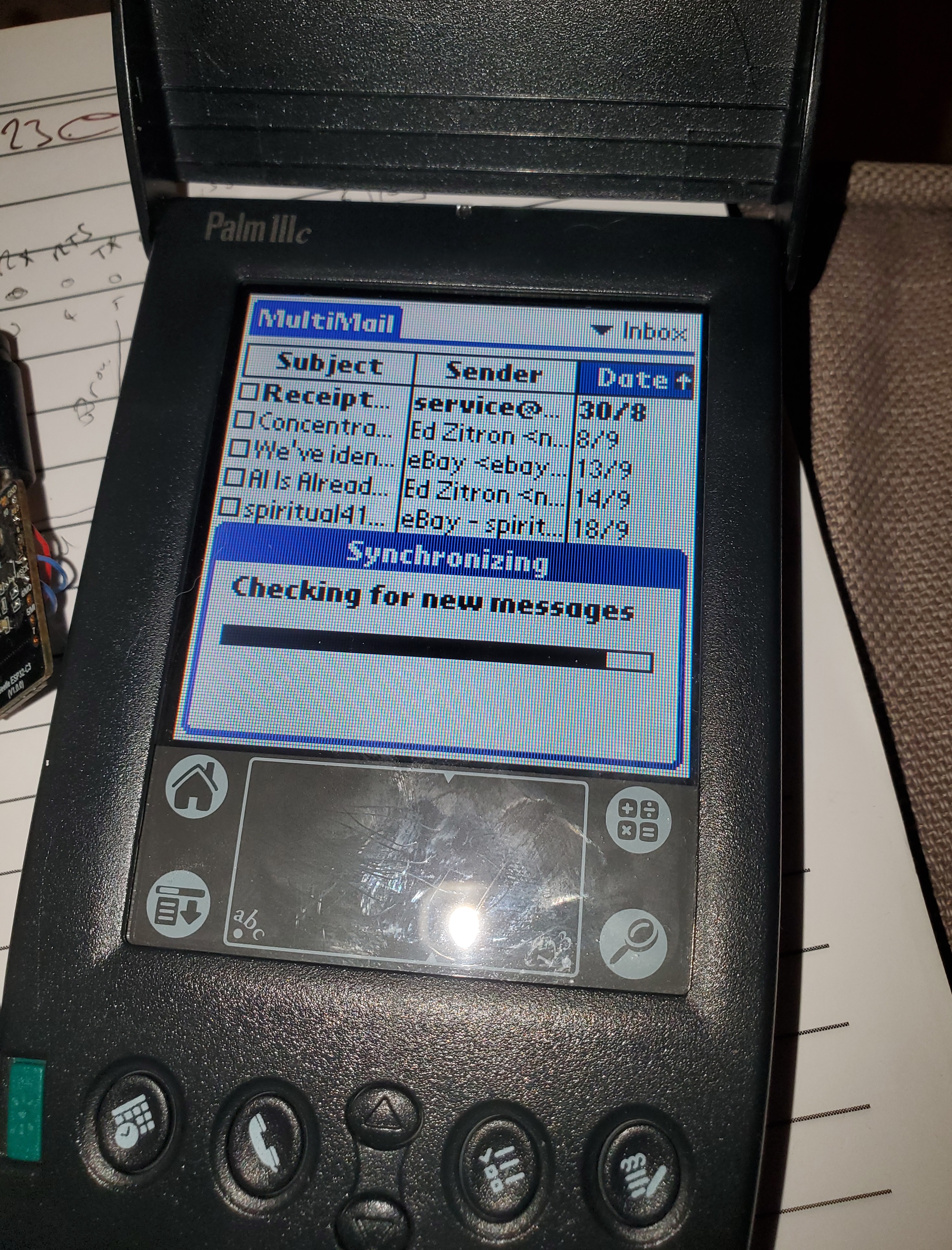
And… we have email! I can view using either IMAP or POP3 mail apps nicely, to be honest, the experience with either is very similar (I’d assumed IMAP would be leaps ahead in performance) and I can send a email. Tasty. (albeit, yeah it’s a little slooow).
World Wide Web
Now we have that working, the next challenge was, can we see the internet? Now this gets a bit more challenging, all modern web is HTTPS (regardless of any need, it’s the default), but the Palm browser I have *can* talk to a plain SOCKS proxy. So. the plan is, fire up a socks proxy on port 8080, use that to forward any http:// request to an external https:// site, and rewrite any returned links that are “https://” to be “http://” so they will work on the Palm…..
Ok. this sort of works…. but OH MY GOD EVERY PAGE IS MEGABYTES of inline scripts and styles, even pages I thought would be simple are over a megabyte. Even though I’m running the Palm->ESP link at 115200bps, a megabyte takes forever.
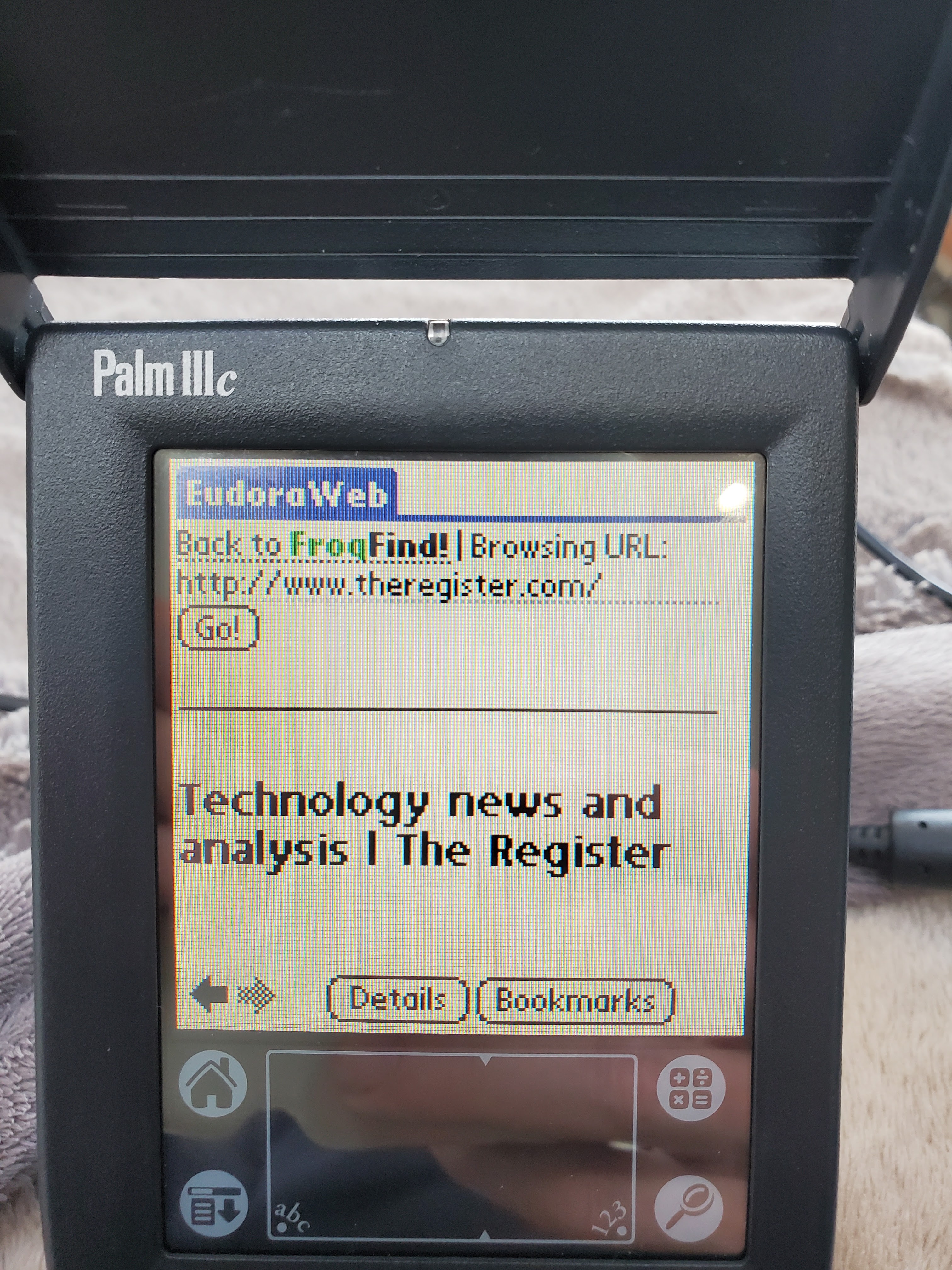
I can load one or two “old school” html pages and they work (example.com pops up nicely), I *can* actually load up BBC News and TheRegister, and get a readable page, but the experience is truly awful… time for some thinking… a few people suggest proxy options, but ideally I’d like to have the ESP doing everything, also the proxy I try (frogfind) only renders some pages well, the register just shows the heading and no content. 🤦
Stripping
The plan… similar to the “https” rewriting, how much smaller will the pages be if we strip out all of the cruft we’re not interested in (and wont render on the Palm anyway) scripts/styles/img tags and so on.
I go on a slight diversion to investigate Gopher, and get raw TCP sockets working properly, I was having trouble with the checksums on the NATed packets, so ended up with a hack to fix them up… with sockets working I had a play with Gopher and found a client (overbite) that worked reasonably well. (again I seemed to need to patch the packets, the ESP network stack seems a bit ‘rough-and-ready’ and probably isn’t designed for PPP/TCP NAT bridging)
After playing with telnet, Gopher and email for a bit, with the TCP fixes, email sync seems to be working well now (I had been getting hangs and timeouts), I return to the web site problem.
There really doesn’t seem to be any point downloading megabytes of styles and scripts since the Palm won’t render them, so implementing a very rudimentary html stripper… and the download size for TheRegister drops from 1.1Mb to 30k, not only that but opening the page renders immediately, as soon as the data starts loading, I can now browse through TheRegister or the BBC news site without any troubles! OK it’s probably not something I’ll actually use, but I wanted to be able to do it.
Bloat moan
This does really depress me though… webpages were supposed to be structured informational data, the html was supposed to simply express the content and importance (e.g. headers, lists, body etc) and the style was supposed to be completely separate rendering information…. but that died a long time ago. A modern webpage is all self contained, all the layout and styling is done inline with all sorts of workarounds and tricks coded in, there’s only a few kb of *actual* textual information in a Register website page, it should be possible to download a page instantly and display the content. Very few webpages are less than a megabyte of data nowadays, there are pages and pages of layout, styles and scripts. Rendering such a page takes a considerable amount of code and computational power.
Moan over…
Keyboard
There is a minor oversight in my design and plan which I’ll need to have a think about…. I never fell in love with graffiti - the text input system on the Palm - and I actually always used a plugin Palm keyboard which made the device an excellent mobile computing device. However, the problem now is that my network interface takes up the socket so I can’t use the network and type with a keyboard at the same time. I’m going to have to work out what my options are and what I want to do.
Hotsync
Next challenge, can I get hotsync running? After a lot of hacking about I find there are a few complexities with the protocol whereby it starts off at 9600 baud and then increases depending on what each side says it can do/wants to do…. this plays havoc with my ESP32 serial bridge which I have running at 115200 baud.
After some experimentation and pinching logic from the palmsync code I can get the ESP interface selecting between modes by telnet-ing into it and flipping mode, a simple web UI makes the change slicker, but with hindsight I think it would have been nice to have a switch and LED on the cradle to show and change the mode…. something for version 2 build ideas.
Hotsync through the cradle interface is really nice, previously I’d had to dig out and use a serial to USB adapter to use the original Palm cradle but now I can sync with jpilot…. which then makes me wonder, can I add a mail sync plugin to jpilot to return to the “authentic” experience I remember where I would sync my Palm in the morning, then I could read and reply to emails offline updating and sending on the next sync….There was an old mail plugin for jpilot, but it was long dead and I couldn’t get it building, but IMAP and SMTP are really simple protocols so copying the simple expenses plugin I added a basic imap and smtp sync function. (and obviously went down a deep rabbit hole tweaking and fiddling with the plugin)
Next…
Next projects - I’m not sure what I want to do with the Palm and interface now, it’s nice to be able to hack and add features but I think I’ll have to get a Palm dev environment running and remember how to write Palm apps to do anything really useful now… in the meantime I probably *should* revisit the idea of creating a Psion network gateway. It *should* be simply the same as the Palm just without the hotsync feature.
Codeberg source code.